Installing the Extension
Chrome and Chromium browsers
Desi Lingo works with Chrome, Brave, Edge, Arc, and any Chromium-based browser. Grab it from the Chrome Web Store.
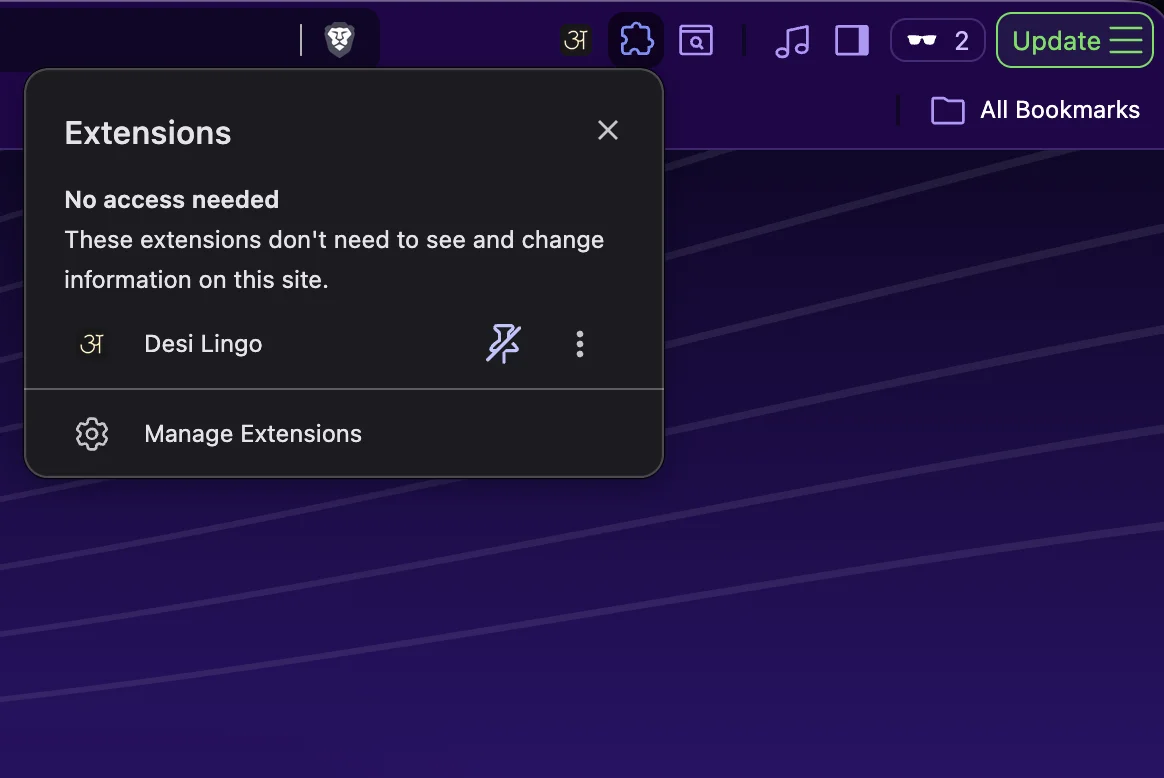
Quick tip: pin it to your toolbar so it's always one click away. Click the puzzle piece icon in your toolbar, find Desi Lingo, and click the pin.
Firefox
Desi Lingo is also available for Firefox. You can install it from Firefox Add-ons.
Signing in
Click the extension icon and sign in with Google or email. This connects the extension to your web dashboard so everything stays in sync: word statuses, mined sentences, settings, all of it.
One thing to keep in mind: use the same account everywhere. Your progress is tied to your account, and there's no way to merge two accounts later.
Installing the Extension
Chrome and Chromium browsers
Desi Lingo works with Chrome, Brave, Edge, Arc, and any Chromium-based browser. Grab it from the Chrome Web Store.
Quick tip: pin it to your toolbar so it's always one click away. Click the puzzle piece icon in your toolbar, find Desi Lingo, and click the pin.
Firefox
Desi Lingo is also available for Firefox. You can install it from Firefox Add-ons.
Signing in
Click the extension icon and sign in with Google or email. This connects the extension to your web dashboard so everything stays in sync: word statuses, mined sentences, settings, all of it.
One thing to keep in mind: use the same account everywhere. Your progress is tied to your account, and there's no way to merge two accounts later.