Anki Integration
What is Anki?
Anki is a free flashcard app that uses spaced repetition. It shows you cards right before you're about to forget them so vocabulary actually sticks.
If you're not using Anki yet, you can download it for free. It's available for Windows, Mac, and Linux.
The Desi Lingo Anki Add-on
The easiest way to get your mined sentences into Anki is the Desi Lingo Anki Add-on. It syncs cards from the web dashboard into Anki along with screenshots and audio clips from video mining.
It works with Anki 2.1.50 and above. The add-on code is 644361758.
Setting it up
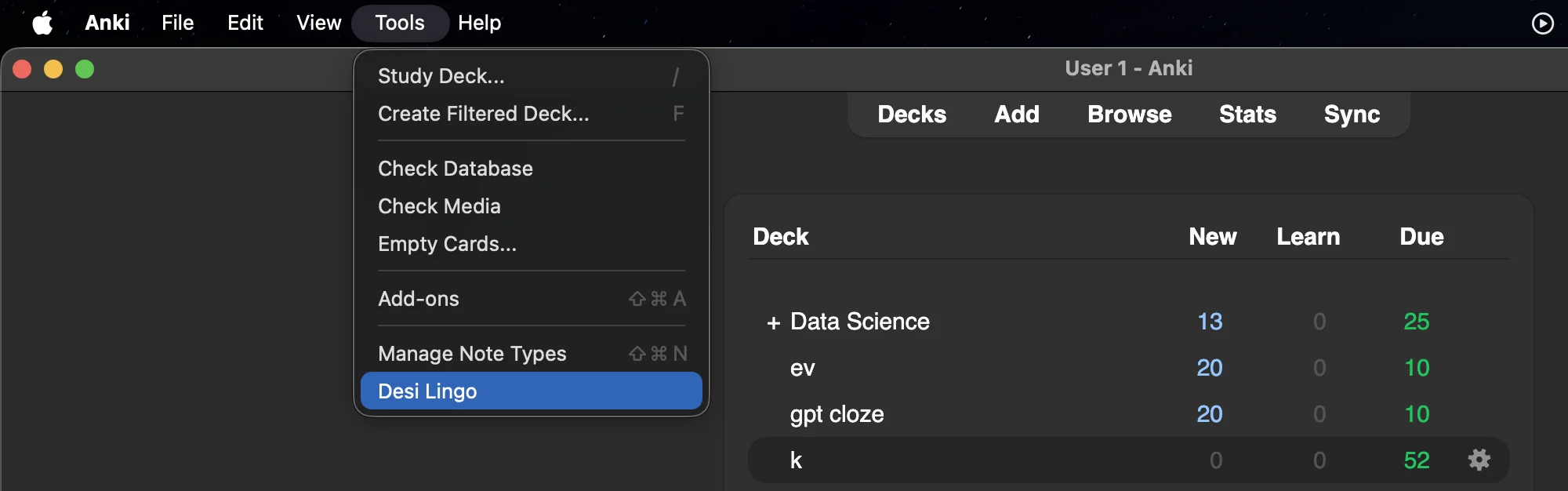
After installing the add-on, open Anki and go to Tools > Desi Lingo Sync. Sign in with the same Google or email account you use for Desi Lingo.
The add-on automatically creates a "Desi Lingo" deck and note type for you. If you want to customize the field mapping (which fields go where on your cards), you can do that in the add-on's settings.
Syncing your cards
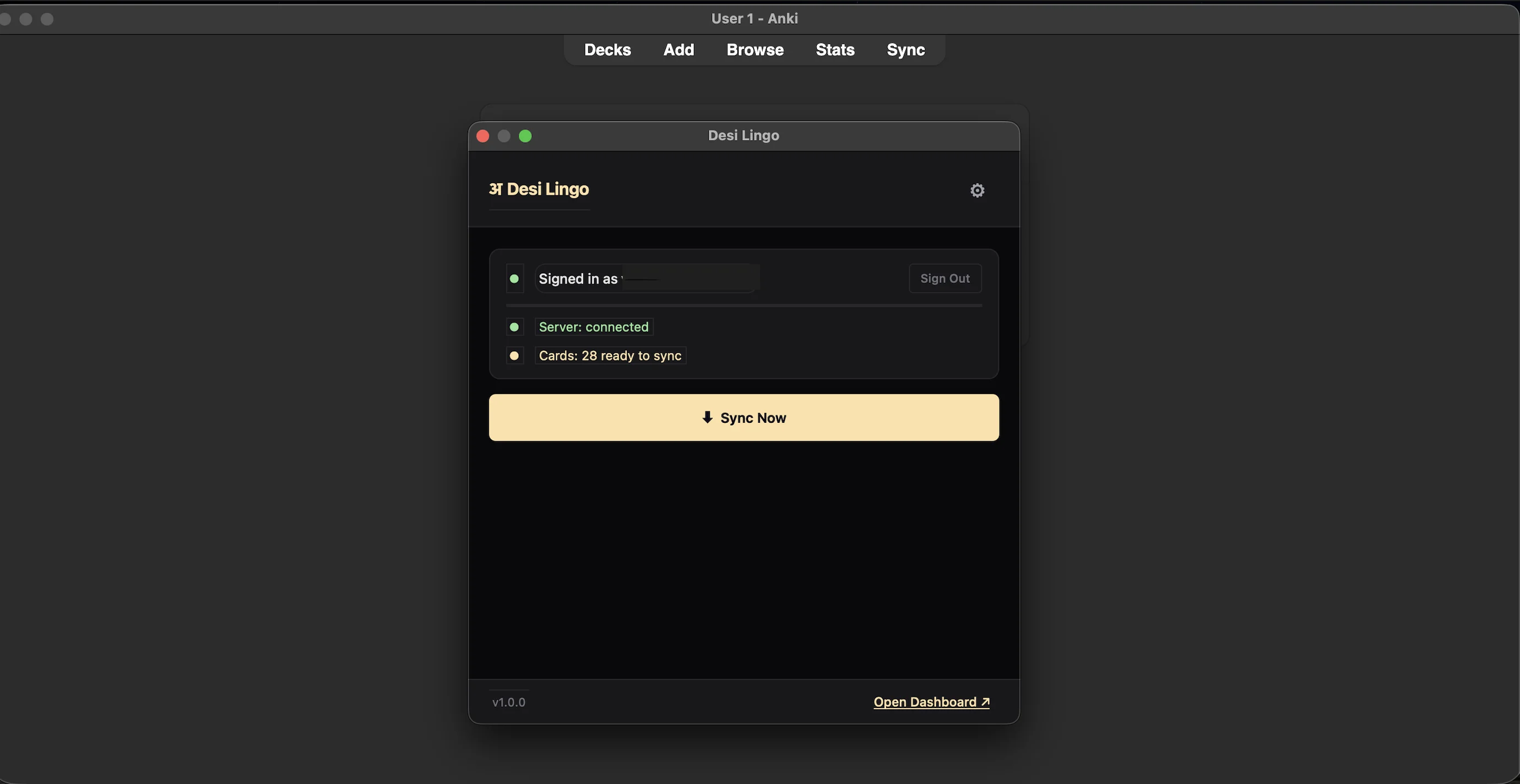
Once you're signed in, just hit Sync. The add-on shows you how many new cards are available, then pulls them in and downloads their screenshots and audio.
You'll need to manually sync each time so you can see exactly what's being added before it goes into your deck. Cards that have already been synced won't be duplicated.
Other ways to export
If you'd rather not install the add-on, you can also export your cards as a tab-separated .txt file from the mining deck and import it into Anki manually. Cards are tagged "desi_lingo" for easy filtering.
Anki Integration
What is Anki?
Anki is a free flashcard app that uses spaced repetition. It shows you cards right before you're about to forget them so vocabulary actually sticks.
If you're not using Anki yet, you can download it for free. It's available for Windows, Mac, and Linux.
The Desi Lingo Anki Add-on
The easiest way to get your mined sentences into Anki is the Desi Lingo Anki Add-on. It syncs cards from the web dashboard into Anki along with screenshots and audio clips from video mining.
It works with Anki 2.1.50 and above. The add-on code is 644361758.
Setting it up
After installing the add-on, open Anki and go to Tools > Desi Lingo Sync. Sign in with the same Google or email account you use for Desi Lingo.
The add-on automatically creates a "Desi Lingo" deck and note type for you. If you want to customize the field mapping (which fields go where on your cards), you can do that in the add-on's settings.
Syncing your cards
Once you're signed in, just hit Sync. The add-on shows you how many new cards are available, then pulls them in and downloads their screenshots and audio.
You'll need to manually sync each time so you can see exactly what's being added before it goes into your deck. Cards that have already been synced won't be duplicated.
Other ways to export
If you'd rather not install the add-on, you can also export your cards as a tab-separated .txt file from the mining deck and import it into Anki manually. Cards are tagged "desi_lingo" for easy filtering.